 Realtek Ethernet Controller Driver
A guide to uninstall Realtek Ethernet Controller Driver from your system
Realtek Ethernet Controller Driver is a Windows application. Read below about how to remove it from your PC. The Windows version was developed by Realtek. Check out here for more details on Realtek. Click on http://www.Realtek.com to get more information about Realtek Ethernet Controller Driver on Realtek's website. The application is often installed in the C:\Program Files (x86)\Realtek\NICDRV_8169 directory. Take into account that this path can differ depending on the user's choice. Realtek Ethernet Controller Driver's complete uninstall command line is C:\Program Files (x86)\InstallShield Installation Information\{8833FFB6-5B0C-4764-81AA-06DFEED9A476}\setup.exe. RTINSTALLER64.EXE is the Realtek Ethernet Controller Driver's main executable file and it takes approximately 234.34 KB (239960 bytes) on disk.Realtek Ethernet Controller Driver contains of the executables below. They occupy 234.34 KB (239960 bytes) on disk.
- RTINSTALLER64.EXE (234.34 KB)
This data is about Realtek Ethernet Controller Driver version 7.112.811.2017 only. For other Realtek Ethernet Controller Driver versions please click below:
- 7.55.314.2012
- 8.37.1119.2014
- 10.74.1128.2024
- 7.4.713.2009
- 7.110.627.2017
- 8.088.0811.2021
- 7.38.113.2011
- 1.00.0019
- 7.17.304.2010
- 7.114.1003.2017
- 6.247.222.2011
- 7.96.826.2015
- 11.24.0318.2025
- 6.241.623.2010
- 8.7.1025.2012
- 10.18.526.2017
- 10.4.813.2015
- 11.1.0714.2021
- 7.100.422.2016
- 7.130.212.2020
- 7.115.1208.2017
- 7.9.1105.2009
- 8.3.730.2012
- 7.70.314.2013
- 11.22.1118.2024
- 10.47.121.2021
- 10.6.1001.2015
- 10.9.422.2016
- 7.23.623.2010
- 10.7.107.2016
- 7.105.123.2017
- 10.16.323.2017
- 7.107.323.2017
- 10.15.307.2017
- 7.26.902.2010
- 6.248.427.2011
- 8.13.314.2013
- 11.4.1201.2021
- 6.244.1111.2010
- 7.133.526.2020
- 7.35.1206.2010
- 6.221.424.2009
- 10.36.701.2019
- 7.72.410.2013
- 10.4.814.2015
- 7.51.116.2012
- 7.141.511.2021
- 11.0.2.1
- 7.32.1111.2010
- 8.15.410.2013
- 8.33.529.2014
- 8.12.304.2013
- 1.00.0018
- 7.11.1127.2009
- 7.74.815.2013
- 7.5.730.2009
- 7.7.1002.2009
- 7.41.216.2011
- 8.36.826.2014
- 7.36.1224.2010
- 7.47.706.2011
- 1.00.0029
- 7.116.119.2018
- 8.50.1223.2016
- 8.34.617.2014
- 7.67.1226.2012
- 7.40.126.2011
- 7.37.1229.2010
- 10.052.0903.2021
- 11.9.0614.2022
- 10.2.703.2015
- 8.27.225.2014
- 7.6.820.2009
- 106.4.317.2014
- 8.62.119.2018
- 1166.001.0714.2021
- 8.44.107.2016
- 11.12.0320.2023
- 7.8.1023.2009
- 7.75.827.2013
- 10.45.928.2020
- 1125.21.903.2024
- 8.4.907.2012
- 7.86.508.2014
- 10.49.413.2021
- 11.21.0903.2024
- 8.69.1206.2018
- 10.37.1028.2019
- 7.65.1025.2012
- 10.1
- 8.84.121.2021
- 8.58.811.2017
- 7.54.309.2012
- 7.117.328.2018
- 11.19.0702.2024
- 8.80.723.2020
- 8.20.815.2013
- 10.3.723.2015
- 1.00.0030
- 8.59.914.2017
Realtek Ethernet Controller Driver has the habit of leaving behind some leftovers.
Folders left behind when you uninstall Realtek Ethernet Controller Driver:
- C:\Program Files (x86)\Realtek\NICDRV_8169
Registry that is not uninstalled:
- HKEY_LOCAL_MACHINE\Software\Microsoft\Windows\CurrentVersion\Uninstall\{8833FFB6-5B0C-4764-81AA-06DFEED9A476}
- HKEY_LOCAL_MACHINE\Software\Realtek\Realtek Ethernet Controller Driver
How to erase Realtek Ethernet Controller Driver with Advanced Uninstaller PRO
Realtek Ethernet Controller Driver is an application by Realtek. Frequently, computer users try to erase it. Sometimes this is difficult because performing this by hand takes some know-how regarding removing Windows programs manually. One of the best EASY procedure to erase Realtek Ethernet Controller Driver is to use Advanced Uninstaller PRO. Take the following steps on how to do this:1. If you don't have Advanced Uninstaller PRO already installed on your system, add it. This is good because Advanced Uninstaller PRO is a very potent uninstaller and all around tool to clean your PC.
DOWNLOAD NOW
- go to Download Link
- download the setup by pressing the DOWNLOAD button
- install Advanced Uninstaller PRO
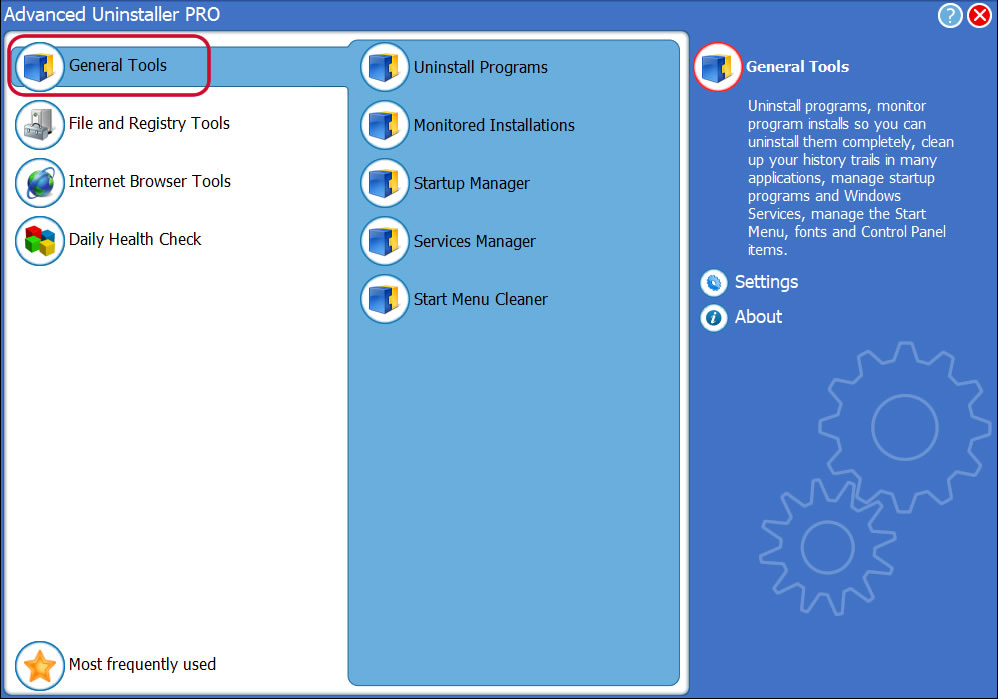
3. Click on the General Tools button
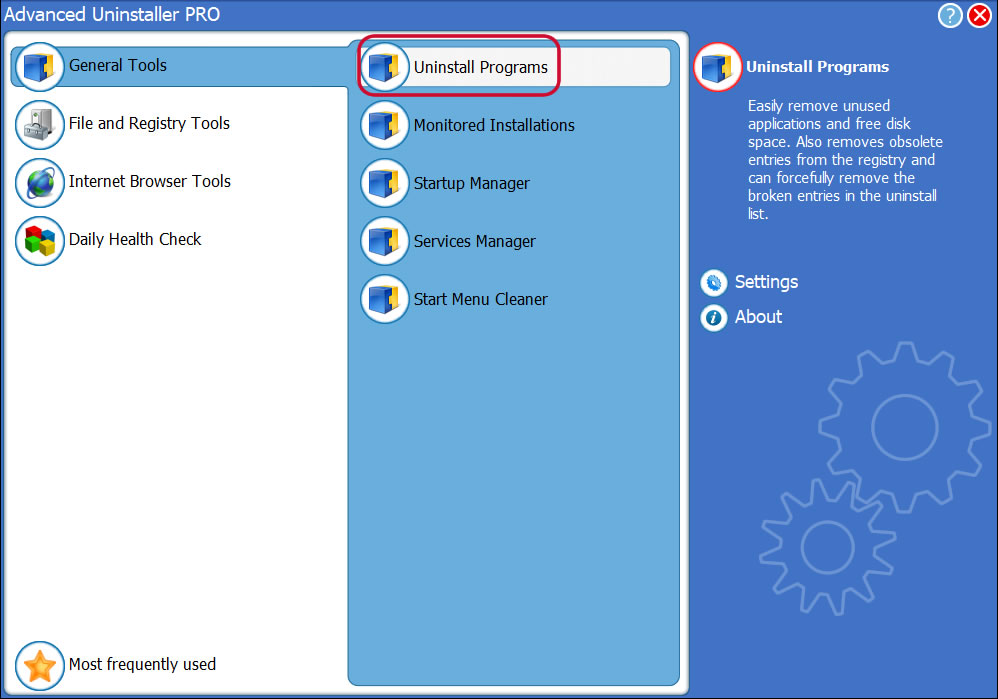
4. Click on the Uninstall Programs tool
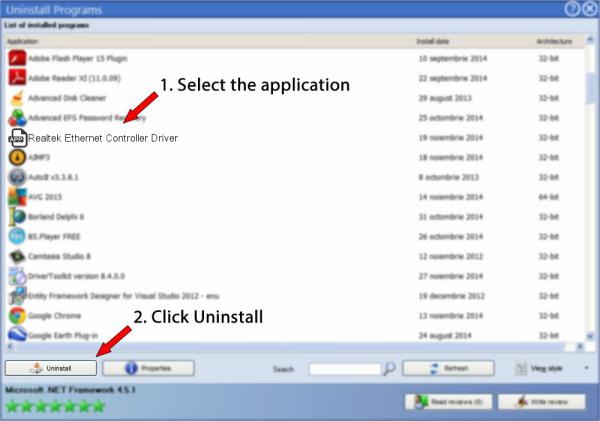
5. All the programs installed on the computer will be made available to you
6. Scroll the list of programs until you locate Realtek Ethernet Controller Driver or simply activate the Search field and type in "Realtek Ethernet Controller Driver". If it is installed on your PC the Realtek Ethernet Controller Driver application will be found automatically. Notice that after you click Realtek Ethernet Controller Driver in the list of apps, some information about the program is shown to you:
- Star rating (in the lower left corner). This tells you the opinion other users have about Realtek Ethernet Controller Driver, ranging from "Highly recommended" to "Very dangerous".
- Reviews by other users - Click on the Read reviews button.
- Technical information about the application you wish to uninstall, by pressing the Properties button.
- The publisher is: http://www.Realtek.com
- The uninstall string is: C:\Program Files (x86)\InstallShield Installation Information\{8833FFB6-5B0C-4764-81AA-06DFEED9A476}\setup.exe
8. After uninstalling Realtek Ethernet Controller Driver, Advanced Uninstaller PRO will ask you to run an additional cleanup. Press Next to perform the cleanup. All the items that belong Realtek Ethernet Controller Driver which have been left behind will be found and you will be asked if you want to delete them. By uninstalling Realtek Ethernet Controller Driver with Advanced Uninstaller PRO, you are assured that no Windows registry entries, files or directories are left behind on your disk.
Your Windows computer will remain clean, speedy and able to serve you properly.
Disclaimer
This page is not a recommendation to uninstall Realtek Ethernet Controller Driver by Realtek from your computer, we are not saying that Realtek Ethernet Controller Driver by Realtek is not a good application. This page simply contains detailed instructions on how to uninstall Realtek Ethernet Controller Driver supposing you decide this is what you want to do. Here you can find registry and disk entries that other software left behind and Advanced Uninstaller PRO stumbled upon and classified as "leftovers" on other users' computers.
2017-09-10 / Written by Andreea Kartman for Advanced Uninstaller PRO
follow @DeeaKartmanLast update on: 2017-09-09 22:15:30.010