 Toshiba Quality Application
How to uninstall Toshiba Quality Application from your PC
Toshiba Quality Application is a Windows program. Read more about how to uninstall it from your PC. The Windows version was created by TOSHIBA. You can read more on TOSHIBA or check for application updates here. You can get more details about Toshiba Quality Application at http://www.TOSHIBA.com. The program is frequently found in the C:\Program Files (x86)\Toshiba\ToshibaFB directory (same installation drive as Windows). The full command line for removing Toshiba Quality Application is C:\PROGRA~2\COMMON~1\INSTAL~1\Driver\10\INTEL3~1\IDriver.exe /M{716C8275-A4A9-48CB-88C0-9829334CA3C5} . Note that if you will type this command in Start / Run Note you might be prompted for admin rights. Toshiba Quality Application's main file takes about 2.12 MB (2226288 bytes) and its name is fdbpinger.exe.The following executables are installed beside Toshiba Quality Application. They occupy about 2.12 MB (2226288 bytes) on disk.
- fdbpinger.exe (2.12 MB)
The information on this page is only about version 1.0.9.41 of Toshiba Quality Application. Click on the links below for other Toshiba Quality Application versions:
...click to view all...
A way to uninstall Toshiba Quality Application from your PC using Advanced Uninstaller PRO
Toshiba Quality Application is an application by the software company TOSHIBA. Frequently, users decide to remove this program. Sometimes this can be efortful because performing this manually takes some skill regarding removing Windows applications by hand. The best EASY action to remove Toshiba Quality Application is to use Advanced Uninstaller PRO. Here is how to do this:1. If you don't have Advanced Uninstaller PRO already installed on your Windows system, add it. This is good because Advanced Uninstaller PRO is a very efficient uninstaller and all around tool to maximize the performance of your Windows computer.
DOWNLOAD NOW
- go to Download Link
- download the setup by clicking on the green DOWNLOAD button
- set up Advanced Uninstaller PRO
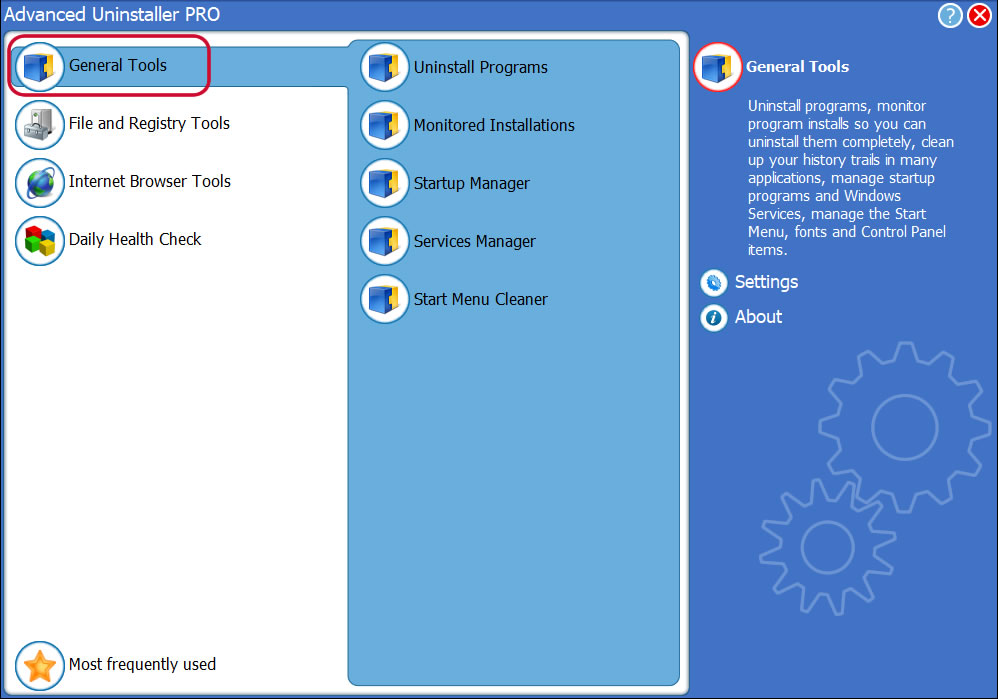
3. Press the General Tools category
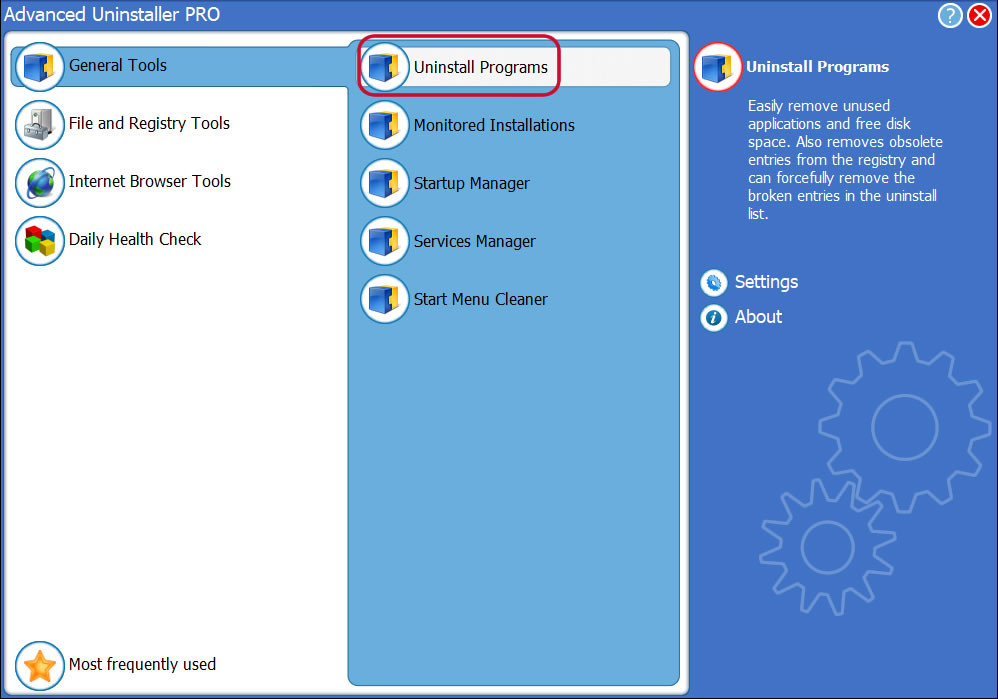
4. Press the Uninstall Programs feature
5. A list of the programs existing on your computer will appear
6. Navigate the list of programs until you find Toshiba Quality Application or simply click the Search feature and type in "Toshiba Quality Application". If it exists on your system the Toshiba Quality Application application will be found very quickly. When you select Toshiba Quality Application in the list of programs, the following information about the program is made available to you:
- Safety rating (in the lower left corner). The star rating tells you the opinion other people have about Toshiba Quality Application, ranging from "Highly recommended" to "Very dangerous".
- Reviews by other people - Press the Read reviews button.
- Technical information about the app you wish to remove, by clicking on the Properties button.
- The software company is: http://www.TOSHIBA.com
- The uninstall string is: C:\PROGRA~2\COMMON~1\INSTAL~1\Driver\10\INTEL3~1\IDriver.exe /M{716C8275-A4A9-48CB-88C0-9829334CA3C5}

8. After uninstalling Toshiba Quality Application, Advanced Uninstaller PRO will ask you to run an additional cleanup. Click Next to perform the cleanup. All the items of Toshiba Quality Application which have been left behind will be found and you will be asked if you want to delete them. By removing Toshiba Quality Application using Advanced Uninstaller PRO, you can be sure that no Windows registry entries, files or directories are left behind on your disk.
Your Windows computer will remain clean, speedy and able to serve you properly.
Geographical user distribution


Disclaimer
The text above is not a recommendation to uninstall Toshiba Quality Application by TOSHIBA from your computer, nor are we saying that Toshiba Quality Application by TOSHIBA is not a good application. This page simply contains detailed instructions on how to uninstall Toshiba Quality Application supposing you want to. The information above contains registry and disk entries that other software left behind and Advanced Uninstaller PRO stumbled upon and classified as "leftovers" on other users' computers.
2016-06-19 / Written by Daniel Statescu for Advanced Uninstaller PRO
follow @DanielStatescuLast update on: 2016-06-18 21:30:07.560