 Teradata GSS Client nt-i386
A guide to uninstall Teradata GSS Client nt-i386 from your computer
This page contains detailed information on how to uninstall Teradata GSS Client nt-i386 for Windows. The Windows version was created by Teradata Corporation. You can read more on Teradata Corporation or check for application updates here. Click on http://www.teradata.com to get more details about Teradata GSS Client nt-i386 on Teradata Corporation's website. The application is usually placed in the C:\Program Files (x86)\Teradata\Teradata GSS directory. Take into account that this path can vary depending on the user's choice. MsiExec.exe /I{5F8C62AC-E8BE-489F-B17B-92C7EE392D3D} is the full command line if you want to remove Teradata GSS Client nt-i386 . Teradata GSS Client nt-i386 's main file takes around 280.42 KB (287152 bytes) and is named tfclient.exe.Teradata GSS Client nt-i386 contains of the executables below. They take 12.49 MB (13098784 bytes) on disk.
- dumpcfg.exe (69.70 KB)
- gethost.exe (202.85 KB)
- ldapcompare.exe (126.03 KB)
- ldapdelete.exe (130.80 KB)
- ldapmodify.exe (150.02 KB)
- ldapmodrdn.exe (127.66 KB)
- ldappasswd.exe (129.69 KB)
- ldapsearch.exe (164.22 KB)
- ldapwhoami.exe (123.28 KB)
- tdgssconfig.exe (7.84 MB)
- tdgssversion.exe (2.45 MB)
- tdlink.exe (85.15 KB)
- tdsbind.exe (189.98 KB)
- tdssearch.exe (70.61 KB)
- tests.exe (138.91 KB)
- tfclient.exe (280.42 KB)
- tfserver.exe (260.02 KB)
This info is about Teradata GSS Client nt-i386 version 13.00.00.00 only. You can find below a few links to other Teradata GSS Client nt-i386 releases:
Some files and registry entries are typically left behind when you uninstall Teradata GSS Client nt-i386 .
Directories that were left behind:
- C:\Program Files (x86)\Teradata\Teradata GSS
Files remaining:
- C:\Program Files (x86)\Teradata\Teradata GSS\Site\TdgssUserConfigFile.xml
- C:\Users\%user%\AppData\Local\Temp\ClientISS\Teradata_GSS_Client_32bit-13.0.log
How to erase Teradata GSS Client nt-i386 from your PC using Advanced Uninstaller PRO
Teradata GSS Client nt-i386 is an application by Teradata Corporation. Frequently, users want to remove this program. This can be troublesome because performing this manually takes some knowledge related to Windows program uninstallation. One of the best SIMPLE manner to remove Teradata GSS Client nt-i386 is to use Advanced Uninstaller PRO. Here is how to do this:1. If you don't have Advanced Uninstaller PRO already installed on your system, install it. This is good because Advanced Uninstaller PRO is the best uninstaller and all around utility to optimize your PC.
DOWNLOAD NOW
- navigate to Download Link
- download the setup by pressing the green DOWNLOAD button
- set up Advanced Uninstaller PRO
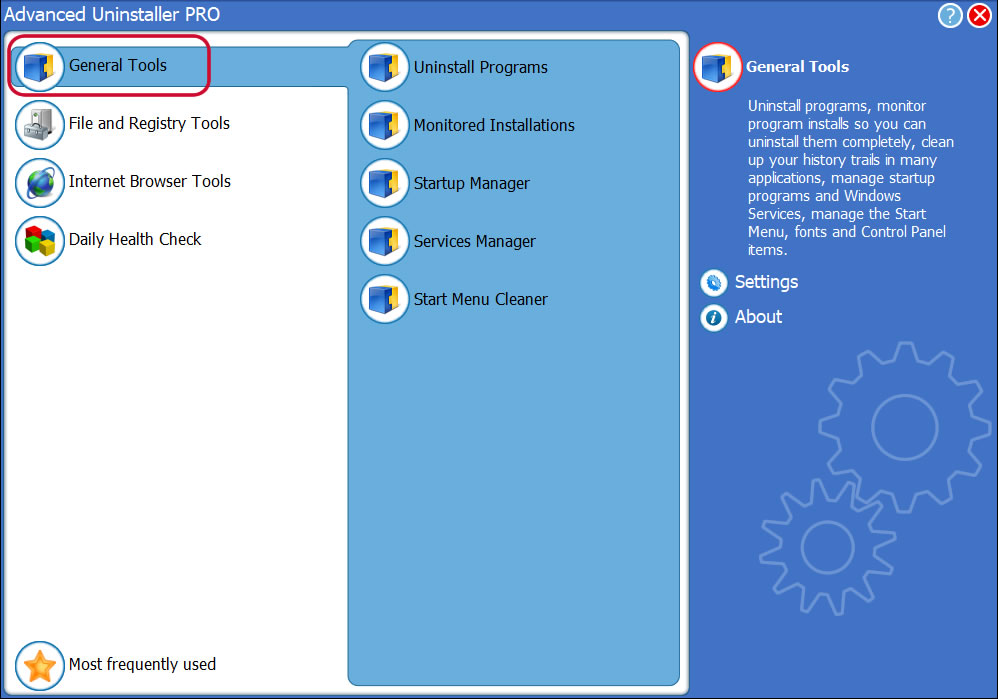
3. Click on the General Tools category
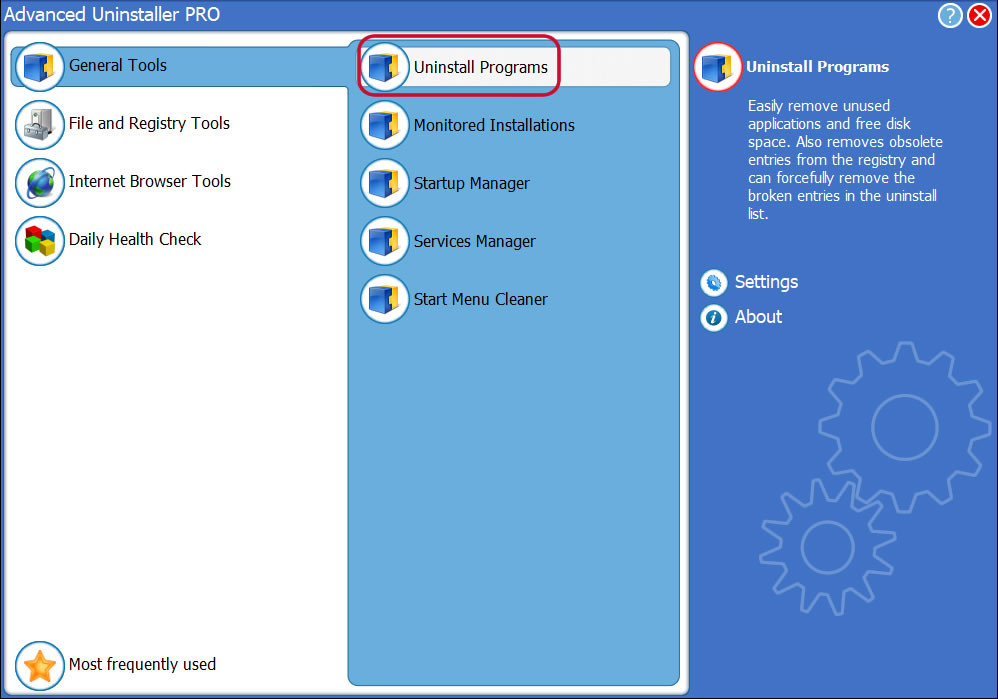
4. Press the Uninstall Programs feature
5. A list of the programs existing on the PC will be shown to you
6. Navigate the list of programs until you locate Teradata GSS Client nt-i386 or simply click the Search field and type in "Teradata GSS Client nt-i386 ". The Teradata GSS Client nt-i386 app will be found very quickly. When you select Teradata GSS Client nt-i386 in the list , the following information regarding the program is shown to you:
- Star rating (in the lower left corner). The star rating explains the opinion other users have regarding Teradata GSS Client nt-i386 , from "Highly recommended" to "Very dangerous".
- Reviews by other users - Click on the Read reviews button.
- Details regarding the app you want to remove, by pressing the Properties button.
- The publisher is: http://www.teradata.com
- The uninstall string is: MsiExec.exe /I{5F8C62AC-E8BE-489F-B17B-92C7EE392D3D}

8. After removing Teradata GSS Client nt-i386 , Advanced Uninstaller PRO will offer to run a cleanup. Click Next to perform the cleanup. All the items of Teradata GSS Client nt-i386 which have been left behind will be found and you will be asked if you want to delete them. By uninstalling Teradata GSS Client nt-i386 using Advanced Uninstaller PRO, you can be sure that no Windows registry entries, files or directories are left behind on your disk.
Your Windows computer will remain clean, speedy and ready to run without errors or problems.
Geographical user distribution


Disclaimer
This page is not a recommendation to uninstall Teradata GSS Client nt-i386 by Teradata Corporation from your computer, nor are we saying that Teradata GSS Client nt-i386 by Teradata Corporation is not a good software application. This page simply contains detailed instructions on how to uninstall Teradata GSS Client nt-i386 supposing you want to. Here you can find registry and disk entries that other software left behind and Advanced Uninstaller PRO discovered and classified as "leftovers" on other users' PCs.
2017-03-15 / Written by Andreea Kartman for Advanced Uninstaller PRO
follow @DeeaKartmanLast update on: 2017-03-15 00:45:40.667