 Sky Go Player
A guide to uninstall Sky Go Player from your PC
This web page is about Sky Go Player for Windows. Here you can find details on how to uninstall it from your computer. The Windows version was created by Sky Italia. More information about Sky Italia can be read here. Usually the Sky Go Player application is placed in the C:\Users\UserName\AppData\Local\Sky Italia\Sky Go Player directory, depending on the user's option during install. You can uninstall Sky Go Player by clicking on the Start menu of Windows and pasting the command line MsiExec.exe /X{32df31d2-9751-425f-ab51-eec25cf7296a}. Note that you might be prompted for administrator rights. Sky Go Player's main file takes about 6.21 MB (6515528 bytes) and its name is NDSPCShowServer.exe.The executable files below are part of Sky Go Player. They take about 7.49 MB (7851160 bytes) on disk.
- NDSPCShowServer.exe (6.21 MB)
- PCShowServerPMWrapper.exe (1.27 MB)
The information on this page is only about version 3.0 of Sky Go Player. You can find below info on other application versions of Sky Go Player:
Sky Go Player has the habit of leaving behind some leftovers.
Folders that were left behind:
- C:\Users\%user%\AppData\Local\Sky Italia\Sky Go Player
Usually, the following files are left on disk:
- C:\Users\%user%\AppData\Local\Sky Italia\Sky Go Player\DrmSingleton.bin
- C:\Users\%user%\AppData\Local\Sky Italia\Sky Go Player\DrmSingleton.dll
- C:\Users\%user%\AppData\Local\Sky Italia\Sky Go Player\f_in_box.dll
- C:\Users\%user%\AppData\Local\Sky Italia\Sky Go Player\GstSrcPlugin.dll
- C:\Users\%user%\AppData\Local\Sky Italia\Sky Go Player\gsttspplugin.bin
- C:\Users\%user%\AppData\Local\Sky Italia\Sky Go Player\gsttspplugin.dll
- C:\Users\%user%\AppData\Local\Sky Italia\Sky Go Player\Legal\Boost - Boost 1.33.1.html
- C:\Users\%user%\AppData\Local\Sky Italia\Sky Go Player\Legal\BSD New BSD.html
- C:\Users\%user%\AppData\Local\Sky Italia\Sky Go Player\Legal\Curl License 1996-2008.html
- C:\Users\%user%\AppData\Local\Sky Italia\Sky Go Player\Legal\Curl License 1996-2009.html
- C:\Users\%user%\AppData\Local\Sky Italia\Sky Go Player\Legal\Eula.rtf
- C:\Users\%user%\AppData\Local\Sky Italia\Sky Go Player\Legal\GNU LGPLv2.1.html
- C:\Users\%user%\AppData\Local\Sky Italia\Sky Go Player\Legal\GNU LGPLv3.html
- C:\Users\%user%\AppData\Local\Sky Italia\Sky Go Player\Legal\libupnp 1.6.6.html
- C:\Users\%user%\AppData\Local\Sky Italia\Sky Go Player\Legal\MIT MIT.html
- C:\Users\%user%\AppData\Local\Sky Italia\Sky Go Player\Legal\MPL 1.1.html
- C:\Users\%user%\AppData\Local\Sky Italia\Sky Go Player\Legal\SQLite N\A.html
- C:\Users\%user%\AppData\Local\Sky Italia\Sky Go Player\Legal\zlib v1.2.3.html
- C:\Users\%user%\AppData\Local\Sky Italia\Sky Go Player\libglib-2.0-0.dll
- C:\Users\%user%\AppData\Local\Sky Italia\Sky Go Player\libgmodule-2.0-0.dll
- C:\Users\%user%\AppData\Local\Sky Italia\Sky Go Player\libgobject-2.0-0.dll
- C:\Users\%user%\AppData\Local\Sky Italia\Sky Go Player\libgstaudio-0.10.dll
- C:\Users\%user%\AppData\Local\Sky Italia\Sky Go Player\libgstaudioconvert.dll
- C:\Users\%user%\AppData\Local\Sky Italia\Sky Go Player\libgstaudioresample.dll
- C:\Users\%user%\AppData\Local\Sky Italia\Sky Go Player\libgstbase-0.10.dll
- C:\Users\%user%\AppData\Local\Sky Italia\Sky Go Player\libgstcontroller-0.10.dll
- C:\Users\%user%\AppData\Local\Sky Italia\Sky Go Player\libgstcoreelements.dll
- C:\Users\%user%\AppData\Local\Sky Italia\Sky Go Player\libgstdirectsound.dll
- C:\Users\%user%\AppData\Local\Sky Italia\Sky Go Player\libgstdshowvideosink.dll
- C:\Users\%user%\AppData\Local\Sky Italia\Sky Go Player\libgstinterfaces-0.10.dll
- C:\Users\%user%\AppData\Local\Sky Italia\Sky Go Player\libgstreamer-0.10.dll
- C:\Users\%user%\AppData\Local\Sky Italia\Sky Go Player\libgstvideo-0.10.dll
- C:\Users\%user%\AppData\Local\Sky Italia\Sky Go Player\libgstvolume.dll
- C:\Users\%user%\AppData\Local\Sky Italia\Sky Go Player\libgthread-2.0-0.dll
- C:\Users\%user%\AppData\Local\Sky Italia\Sky Go Player\libiconv-2.dll
- C:\Users\%user%\AppData\Local\Sky Italia\Sky Go Player\liborc-0.4-0.dll
- C:\Users\%user%\AppData\Local\Sky Italia\Sky Go Player\libxml2-2.dll
- C:\Users\%user%\AppData\Local\Sky Italia\Sky Go Player\ndsLogStore.dll
- C:\Users\%user%\AppData\Local\Sky Italia\Sky Go Player\NDSPCShowServer.exe
- C:\Users\%user%\AppData\Local\Sky Italia\Sky Go Player\npPlayerPlugin.dll
- C:\Users\%user%\AppData\Local\Sky Italia\Sky Go Player\PCShowServerPMWrapper.exe
- C:\Users\%user%\AppData\Local\Sky Italia\Sky Go Player\StatusListenerRepository.dll
- C:\Users\%user%\AppData\Local\Sky Italia\Sky Go Player\z.dll
You will find in the Windows Registry that the following keys will not be uninstalled; remove them one by one using regedit.exe:
- HKEY_LOCAL_MACHINE\Software\Microsoft\Windows\CurrentVersion\Uninstall\{32df31d2-9751-425f-ab51-eec25cf7296a}
A way to uninstall Sky Go Player from your PC using Advanced Uninstaller PRO
Sky Go Player is a program released by the software company Sky Italia. Sometimes, computer users want to remove this program. This is difficult because deleting this by hand takes some experience related to Windows internal functioning. The best QUICK way to remove Sky Go Player is to use Advanced Uninstaller PRO. Take the following steps on how to do this:1. If you don't have Advanced Uninstaller PRO already installed on your Windows PC, install it. This is good because Advanced Uninstaller PRO is the best uninstaller and all around utility to clean your Windows computer.
DOWNLOAD NOW
- visit Download Link
- download the setup by clicking on the DOWNLOAD NOW button
- set up Advanced Uninstaller PRO
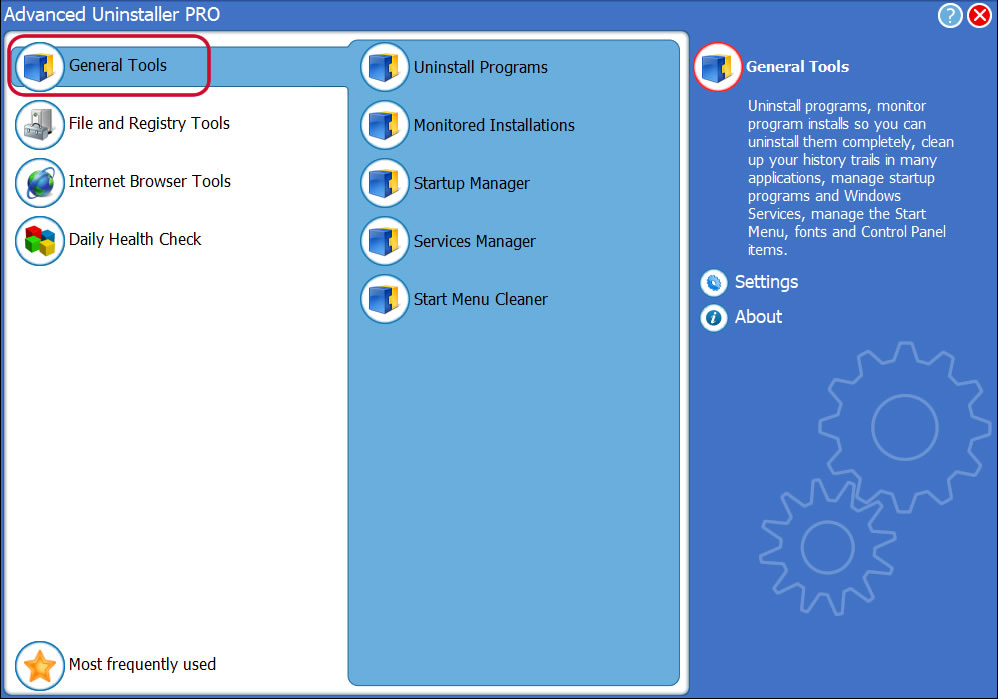
3. Click on the General Tools category
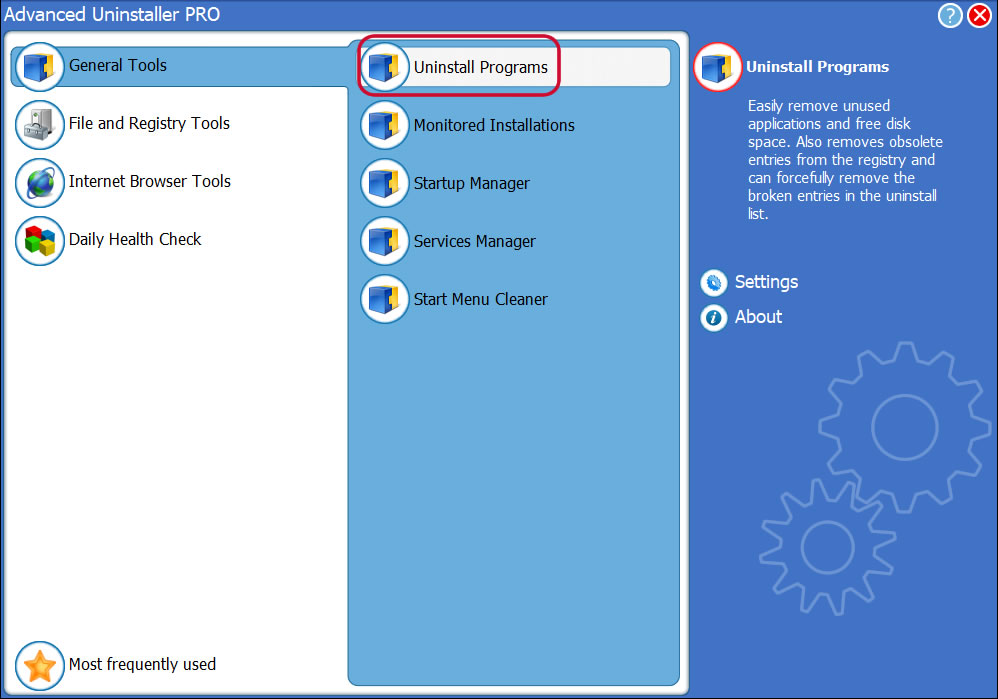
4. Press the Uninstall Programs feature
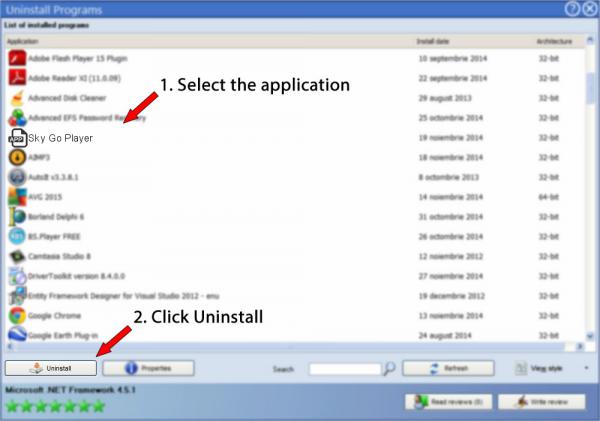
5. All the applications existing on your PC will be made available to you
6. Navigate the list of applications until you find Sky Go Player or simply activate the Search feature and type in "Sky Go Player". The Sky Go Player application will be found very quickly. When you select Sky Go Player in the list of applications, the following information about the application is available to you:
- Safety rating (in the left lower corner). The star rating tells you the opinion other people have about Sky Go Player, from "Highly recommended" to "Very dangerous".
- Opinions by other people - Click on the Read reviews button.
- Details about the app you are about to remove, by clicking on the Properties button.
8. After removing Sky Go Player, Advanced Uninstaller PRO will offer to run a cleanup. Press Next to go ahead with the cleanup. All the items of Sky Go Player that have been left behind will be found and you will be asked if you want to delete them. By uninstalling Sky Go Player with Advanced Uninstaller PRO, you can be sure that no Windows registry items, files or directories are left behind on your system.
Your Windows computer will remain clean, speedy and ready to take on new tasks.
Geographical user distribution

Disclaimer
This page is not a recommendation to uninstall Sky Go Player by Sky Italia from your computer, we are not saying that Sky Go Player by Sky Italia is not a good application. This text simply contains detailed info on how to uninstall Sky Go Player in case you decide this is what you want to do. Here you can find registry and disk entries that Advanced Uninstaller PRO stumbled upon and classified as "leftovers" on other users' PCs.
2016-06-28 / Written by Daniel Statescu for Advanced Uninstaller PRO
follow @DanielStatescuLast update on: 2016-06-28 20:46:56.590