 Guitar Hero III - Legends of Rock
How to uninstall Guitar Hero III - Legends of Rock from your system
This web page contains thorough information on how to uninstall Guitar Hero III - Legends of Rock for Windows. It is written by Emulandron Games. More information on Emulandron Games can be found here. Please follow http://www.emulandron.com.br if you want to read more on Guitar Hero III - Legends of Rock on Emulandron Games's website. Guitar Hero III - Legends of Rock is normally set up in the C:\Program Files (x86)\Aspyr\Guitar Hero III\DATA folder, however this location may vary a lot depending on the user's option while installing the program. C:\Program Files (x86)\Aspyr\Guitar Hero III\DATA\unins000.exe is the full command line if you want to uninstall Guitar Hero III - Legends of Rock. Guitar Hero III - Legends of Rock's primary file takes around 692.70 KB (709322 bytes) and is named unins000.exe.Guitar Hero III - Legends of Rock installs the following the executables on your PC, occupying about 692.70 KB (709322 bytes) on disk.
- unins000.exe (692.70 KB)
A way to remove Guitar Hero III - Legends of Rock with the help of Advanced Uninstaller PRO
Guitar Hero III - Legends of Rock is an application offered by the software company Emulandron Games. Frequently, people try to uninstall this application. Sometimes this is troublesome because performing this by hand takes some advanced knowledge related to Windows program uninstallation. The best EASY approach to uninstall Guitar Hero III - Legends of Rock is to use Advanced Uninstaller PRO. Take the following steps on how to do this:1. If you don't have Advanced Uninstaller PRO on your Windows system, install it. This is good because Advanced Uninstaller PRO is one of the best uninstaller and all around tool to maximize the performance of your Windows computer.
DOWNLOAD NOW
- navigate to Download Link
- download the program by pressing the green DOWNLOAD button
- set up Advanced Uninstaller PRO
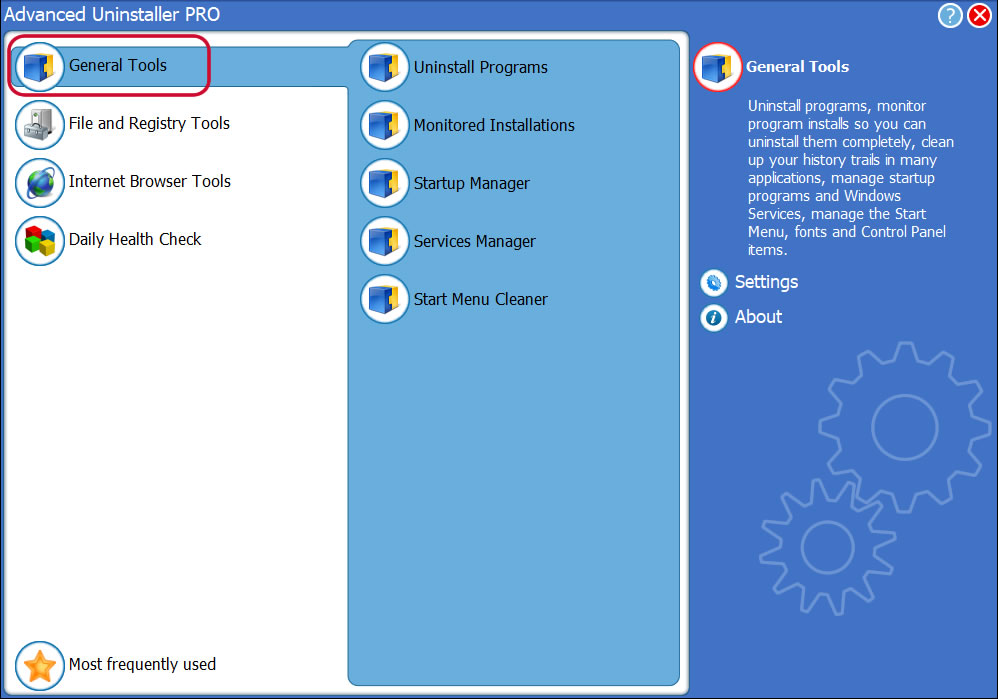
3. Press the General Tools category
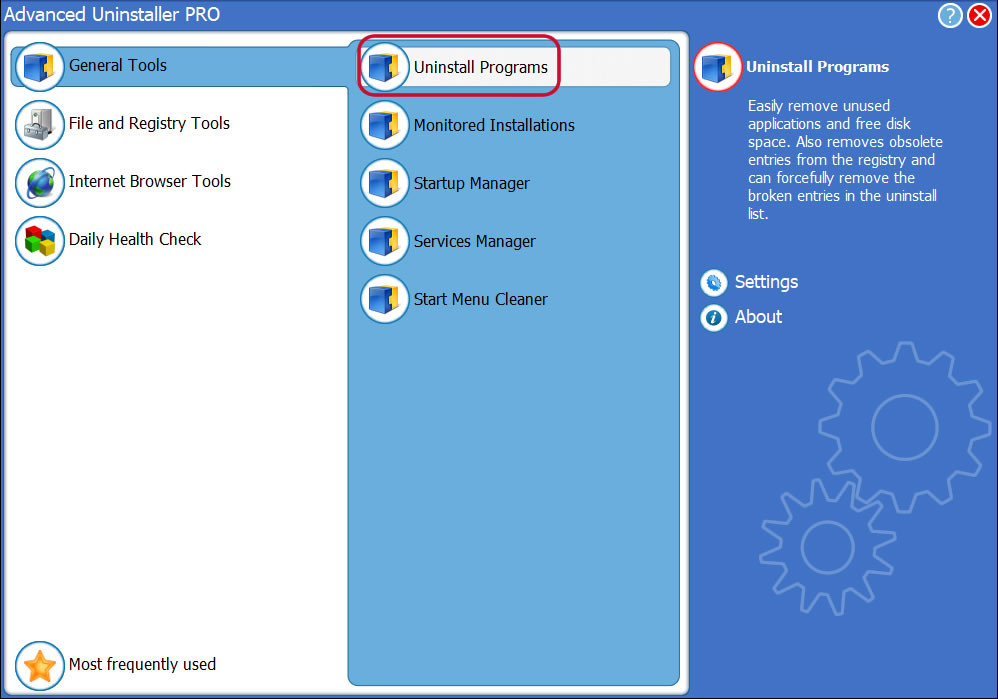
4. Press the Uninstall Programs button
5. A list of the applications existing on the PC will be shown to you
6. Navigate the list of applications until you find Guitar Hero III - Legends of Rock or simply click the Search feature and type in "Guitar Hero III - Legends of Rock". If it exists on your system the Guitar Hero III - Legends of Rock app will be found automatically. After you select Guitar Hero III - Legends of Rock in the list of applications, some data about the program is made available to you:
- Star rating (in the lower left corner). This explains the opinion other people have about Guitar Hero III - Legends of Rock, ranging from "Highly recommended" to "Very dangerous".
- Opinions by other people - Press the Read reviews button.
- Details about the application you are about to remove, by pressing the Properties button.
- The web site of the application is: http://www.emulandron.com.br
- The uninstall string is: C:\Program Files (x86)\Aspyr\Guitar Hero III\DATA\unins000.exe

8. After uninstalling Guitar Hero III - Legends of Rock, Advanced Uninstaller PRO will offer to run an additional cleanup. Click Next to start the cleanup. All the items that belong Guitar Hero III - Legends of Rock that have been left behind will be found and you will be asked if you want to delete them. By removing Guitar Hero III - Legends of Rock using Advanced Uninstaller PRO, you are assured that no registry items, files or folders are left behind on your disk.
Your system will remain clean, speedy and ready to take on new tasks.
Geographical user distribution

Disclaimer
The text above is not a recommendation to uninstall Guitar Hero III - Legends of Rock by Emulandron Games from your PC, nor are we saying that Guitar Hero III - Legends of Rock by Emulandron Games is not a good application. This page only contains detailed info on how to uninstall Guitar Hero III - Legends of Rock in case you want to. Here you can find registry and disk entries that Advanced Uninstaller PRO discovered and classified as "leftovers" on other users' computers.
2017-02-02 / Written by Andreea Kartman for Advanced Uninstaller PRO
follow @DeeaKartmanLast update on: 2017-02-02 20:00:17.860