 Crash Time III
How to uninstall Crash Time III from your PC
Crash Time III is a Windows program. Read below about how to uninstall it from your PC. It was created for Windows by Synetic. More data about Synetic can be seen here. You can see more info on Crash Time III at http://www.crashtime-game.com. Usually the Crash Time III application is placed in the C:\Games\steamapps\common\Crash Time III folder, depending on the user's option during install. You can remove Crash Time III by clicking on the Start menu of Windows and pasting the command line C:\Program Files (x86)\Steam\steam.exe. Note that you might be prompted for administrator rights. The program's main executable file is called Steam.exe and its approximative size is 2.72 MB (2850384 bytes).The following executables are contained in Crash Time III. They take 362.75 MB (380373880 bytes) on disk.
- GameOverlayUI.exe (374.08 KB)
- Steam.exe (2.72 MB)
- steamerrorreporter.exe (499.58 KB)
- steamerrorreporter64.exe (554.08 KB)
- SteamTmp.exe (1.29 MB)
- streaming_client.exe (2.24 MB)
- WriteMiniDump.exe (277.79 KB)
- html5app_steam.exe (1.73 MB)
- steamservice.exe (1.38 MB)
- steamwebhelper.exe (1.97 MB)
- wow_helper.exe (65.50 KB)
- x64launcher.exe (383.58 KB)
- x86launcher.exe (373.58 KB)
- appid_10540.exe (189.24 KB)
- appid_10560.exe (189.24 KB)
- appid_17300.exe (233.24 KB)
- appid_17330.exe (489.24 KB)
- appid_17340.exe (221.24 KB)
- appid_6520.exe (2.26 MB)
- BurnoutConfigTool.exe (1.18 MB)
- BurnoutLauncher.exe (2.61 MB)
- BurnoutParadise.exe (12.53 MB)
- DXSETUP.exe (513.83 KB)
- BurnoutParadise.exe (19.03 MB)
- Cleanup.exe (833.81 KB)
- Touchup.exe (835.31 KB)
- DXSETUP.exe (505.84 KB)
- AutoRun.exe (945.27 KB)
- EASetup.exe (1,000.77 KB)
- DayZ.exe (13.52 MB)
- DayZ_BE.exe (932.45 KB)
- BEService.exe (1.46 MB)
- BEService_x64.exe (1.77 MB)
- vcredist_x64.exe (9.80 MB)
- vcredist_x86.exe (8.57 MB)
- vcredist_x64.exe (6.86 MB)
- vcredist_x86.exe (6.20 MB)
- Fast and Furious Showdown.exe (7.02 MB)
- vcredist_x86.exe (4.02 MB)
- DXSETUP.exe (524.84 KB)
- grid.exe (13.81 MB)
- oalinst.exe (764.00 KB)
- LEGOBatman2.exe (17.82 MB)
- DXSETUP.exe (512.82 KB)
- LEGOBatman3.exe (29.04 MB)
- LEGOBatman3_DX11.exe (39.49 MB)
- LEGOMARVEL.exe (26.18 MB)
- LEGOEMMET.exe (27.46 MB)
- TFOC.exe (24.63 MB)
- vcredist_x86.exe (4.84 MB)
How to delete Crash Time III from your PC with the help of Advanced Uninstaller PRO
Crash Time III is a program offered by the software company Synetic. Frequently, computer users want to remove it. This is troublesome because performing this by hand requires some know-how regarding Windows internal functioning. One of the best SIMPLE solution to remove Crash Time III is to use Advanced Uninstaller PRO. Here is how to do this:1. If you don't have Advanced Uninstaller PRO already installed on your system, add it. This is good because Advanced Uninstaller PRO is the best uninstaller and general utility to take care of your computer.
DOWNLOAD NOW
- navigate to Download Link
- download the setup by clicking on the DOWNLOAD button
- install Advanced Uninstaller PRO
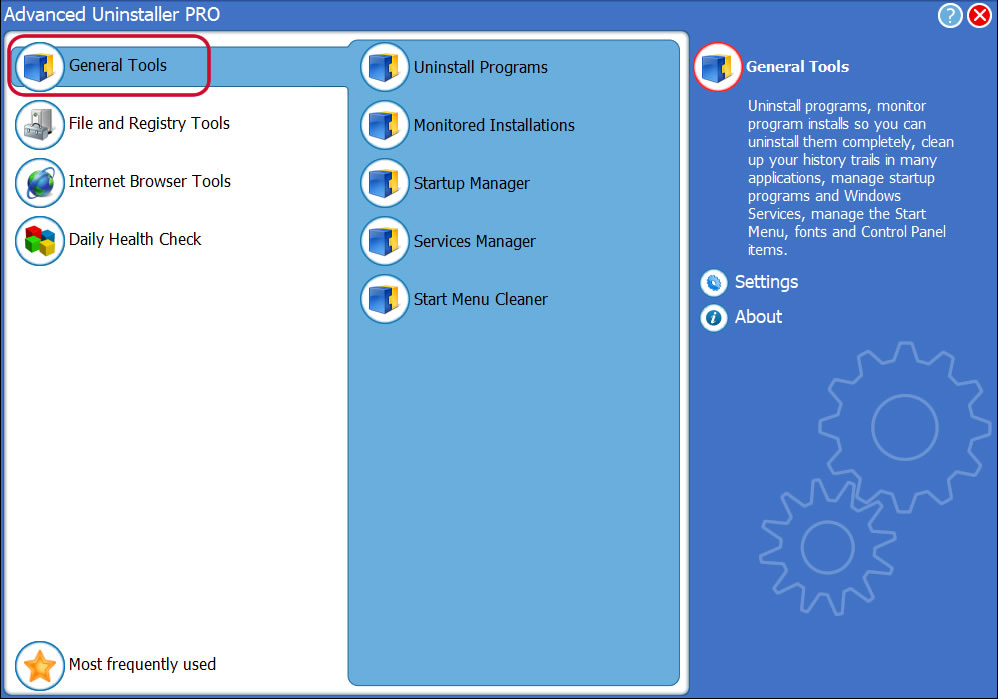
3. Click on the General Tools category
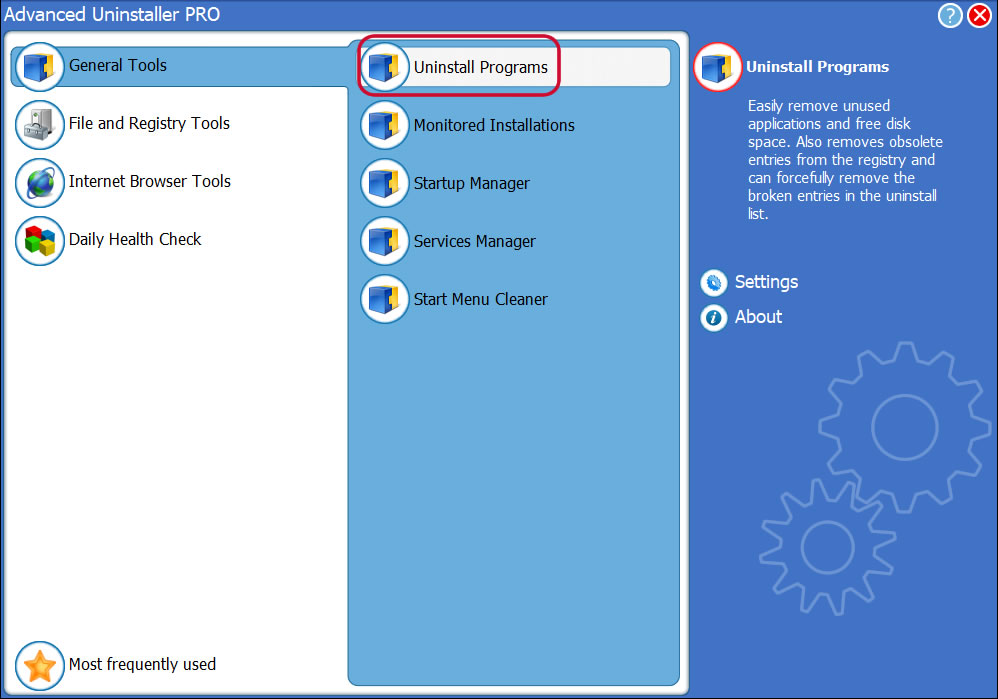
4. Click on the Uninstall Programs feature
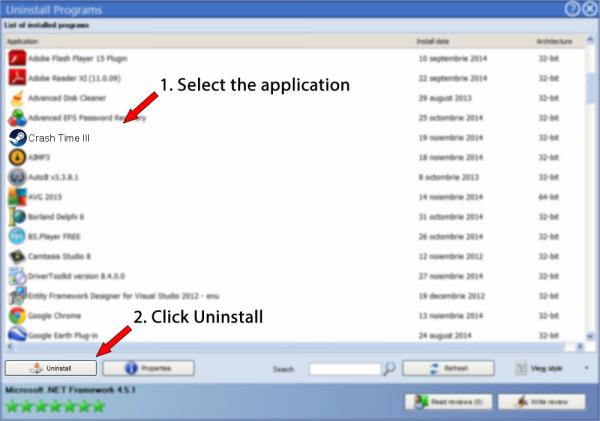
5. All the applications existing on the computer will appear
6. Scroll the list of applications until you locate Crash Time III or simply click the Search feature and type in "Crash Time III". The Crash Time III app will be found very quickly. When you click Crash Time III in the list , the following information about the program is available to you:
- Safety rating (in the lower left corner). The star rating tells you the opinion other users have about Crash Time III, ranging from "Highly recommended" to "Very dangerous".
- Reviews by other users - Click on the Read reviews button.
- Details about the program you are about to remove, by clicking on the Properties button.
- The publisher is: http://www.crashtime-game.com
- The uninstall string is: C:\Program Files (x86)\Steam\steam.exe
8. After removing Crash Time III, Advanced Uninstaller PRO will offer to run a cleanup. Click Next to perform the cleanup. All the items that belong Crash Time III that have been left behind will be found and you will be able to delete them. By removing Crash Time III with Advanced Uninstaller PRO, you can be sure that no Windows registry items, files or directories are left behind on your system.
Your Windows computer will remain clean, speedy and ready to serve you properly.
Geographical user distribution


Disclaimer
The text above is not a piece of advice to remove Crash Time III by Synetic from your PC, we are not saying that Crash Time III by Synetic is not a good application. This text only contains detailed info on how to remove Crash Time III in case you want to. The information above contains registry and disk entries that other software left behind and Advanced Uninstaller PRO discovered and classified as "leftovers" on other users' computers.
2016-06-28 / Written by Daniel Statescu for Advanced Uninstaller PRO
follow @DanielStatescuLast update on: 2016-06-28 06:59:00.257