 Chromerun Protocol
How to uninstall Chromerun Protocol from your system
This page contains thorough information on how to uninstall Chromerun Protocol for Windows. It is made by ITS. Additional info about ITS can be read here. The application is often located in the C:\Program Files (x86)\JNJ folder (same installation drive as Windows). The full command line for removing Chromerun Protocol is MsiExec.exe /X{058E9C7F-DA0C-452A-9A68-071AA78E5FDA}. Note that if you will type this command in Start / Run Note you may get a notification for administrator rights. Uninstal.EXE is the programs's main file and it takes around 128.00 KB (131072 bytes) on disk.Chromerun Protocol installs the following the executables on your PC, taking about 74.77 MB (78406050 bytes) on disk.
- Uninstal.EXE (128.00 KB)
- RESET.EXE (779.97 KB)
- 1281502702193Setupex.exe (24.71 MB)
- SetACL.exe (252.00 KB)
- Adm.exe (779.92 KB)
- Admrest.exe (779.92 KB)
- ARPHideX64.exe (779.93 KB)
- Power.exe (779.92 KB)
- Powerrest.exe (779.92 KB)
- GPupdt.exe (79.00 KB)
- IEUninstaller.EXE (178.04 KB)
- WLAN.exe (159.00 KB)
- keytool.exe (32.75 KB)
- Config64.exe (743.62 KB)
- remove64.exe (742.29 KB)
- Config32.exe (285.20 KB)
- UninstRKey.exe (161.10 KB)
- CFolder.exe (108.50 KB)
- DFolder.exe (85.50 KB)
- dotnetfx.exe (23.14 MB)
- regdelete.exe (284.04 KB)
- fm202007-kb2596927-fullfile-x86-glb.exe (6.33 MB)
- fm202010-kb2553154-fullfile-x86-glb.exe (2.30 MB)
- KILL.EXE (34.77 KB)
- MsiZap.Exe (78.00 KB)
- pv.exe (44.00 KB)
- setup.exe (364.00 KB)
- ipeditor2010-kb2817369-fullfile-x86-glb.exe (3.57 MB)
- ImgSetup.exe (457.23 KB)
- IpXfer.exe (187.61 KB)
- IpXfer_x64.exe (237.98 KB)
- Uninstall.EXE (128.39 KB)
The current web page applies to Chromerun Protocol version 2 only.
A way to delete Chromerun Protocol with the help of Advanced Uninstaller PRO
Chromerun Protocol is a program marketed by ITS. Sometimes, people choose to uninstall this application. This is troublesome because doing this manually takes some skill related to PCs. One of the best QUICK way to uninstall Chromerun Protocol is to use Advanced Uninstaller PRO. Here are some detailed instructions about how to do this:1. If you don't have Advanced Uninstaller PRO already installed on your PC, add it. This is a good step because Advanced Uninstaller PRO is a very potent uninstaller and general tool to take care of your PC.
DOWNLOAD NOW
- visit Download Link
- download the setup by pressing the green DOWNLOAD button
- set up Advanced Uninstaller PRO
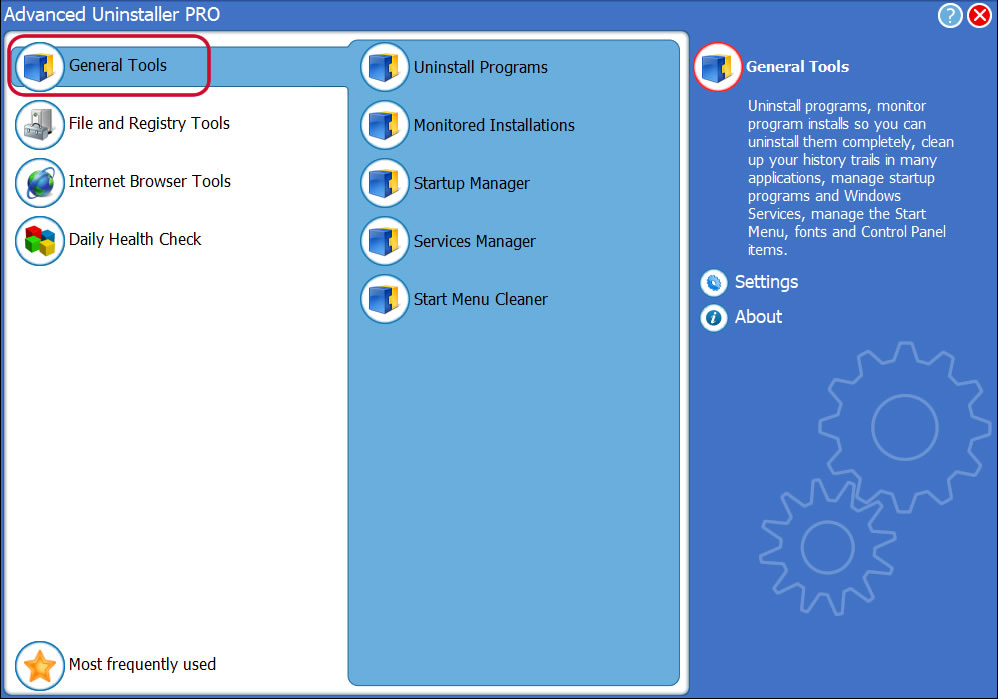
3. Click on the General Tools button
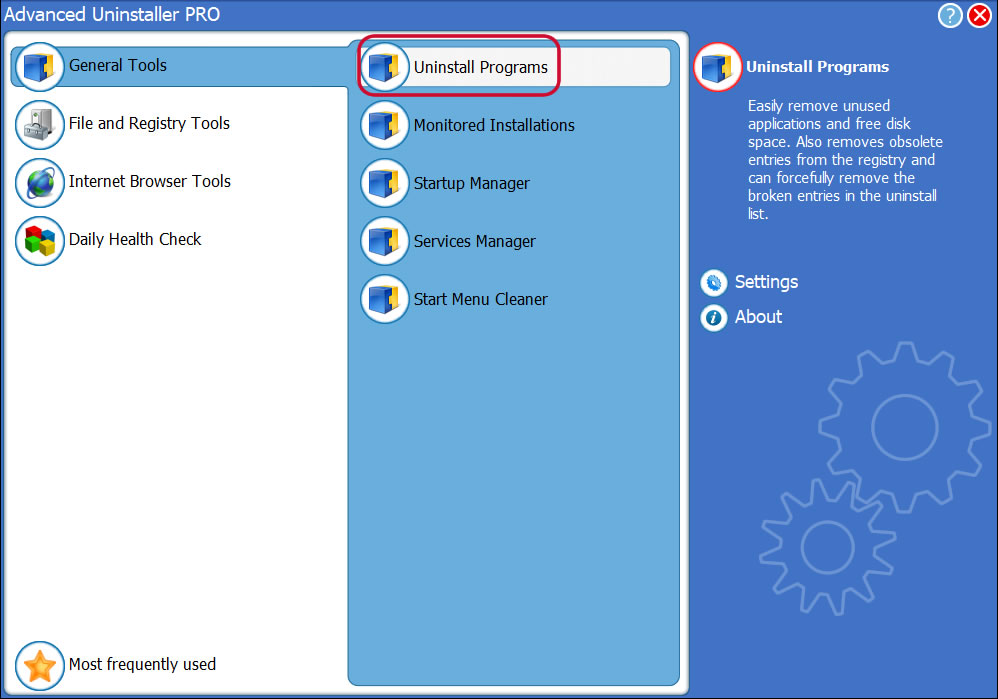
4. Press the Uninstall Programs button
5. A list of the programs existing on the PC will be made available to you
6. Navigate the list of programs until you locate Chromerun Protocol or simply activate the Search field and type in "Chromerun Protocol". If it is installed on your PC the Chromerun Protocol program will be found very quickly. When you click Chromerun Protocol in the list of apps, the following data about the application is made available to you:
- Safety rating (in the lower left corner). This tells you the opinion other users have about Chromerun Protocol, ranging from "Highly recommended" to "Very dangerous".
- Reviews by other users - Click on the Read reviews button.
- Details about the application you want to uninstall, by pressing the Properties button.
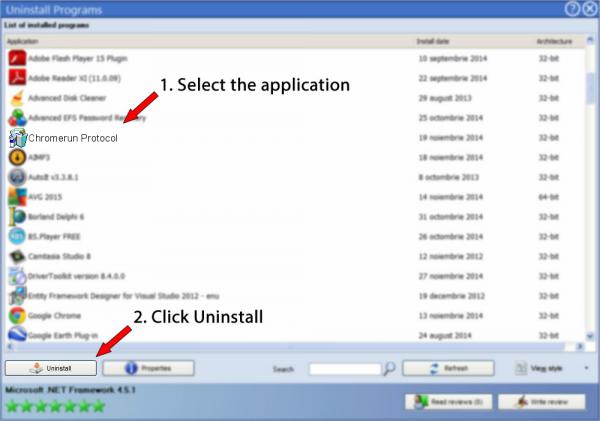
8. After uninstalling Chromerun Protocol, Advanced Uninstaller PRO will ask you to run an additional cleanup. Press Next to proceed with the cleanup. All the items that belong Chromerun Protocol that have been left behind will be detected and you will be able to delete them. By uninstalling Chromerun Protocol using Advanced Uninstaller PRO, you are assured that no Windows registry entries, files or directories are left behind on your PC.
Your Windows PC will remain clean, speedy and able to serve you properly.
Geographical user distribution


Disclaimer
The text above is not a recommendation to uninstall Chromerun Protocol by ITS from your PC, nor are we saying that Chromerun Protocol by ITS is not a good application. This text simply contains detailed instructions on how to uninstall Chromerun Protocol in case you want to. Here you can find registry and disk entries that our application Advanced Uninstaller PRO discovered and classified as "leftovers" on other users' computers.
2016-11-29 / Written by Daniel Statescu for Advanced Uninstaller PRO
follow @DanielStatescuLast update on: 2016-11-29 14:48:18.977