 ArcGIS 10.2 License Manager
How to uninstall ArcGIS 10.2 License Manager from your computer
ArcGIS 10.2 License Manager is a Windows program. Read below about how to uninstall it from your PC. It was coded for Windows by Environmental Systems Research Institute, Inc.. Check out here for more details on Environmental Systems Research Institute, Inc.. You can get more details about ArcGIS 10.2 License Manager at http://www.esri.com. Usually the ArcGIS 10.2 License Manager program is installed in the C:\Program Files (x86)\ArcGIS\License10.2 directory, depending on the user's option during setup. The full command line for removing ArcGIS 10.2 License Manager is C:\Program Files (x86)\Common Files\ArcGIS\Support\ESRI.exe. Keep in mind that if you will type this command in Start / Run Note you might get a notification for administrator rights. The program's main executable file occupies 1.91 MB (2003320 bytes) on disk and is named LSAdmin.exe.ArcGIS 10.2 License Manager installs the following the executables on your PC, occupying about 9.38 MB (9835728 bytes) on disk.
- ARCGIS.exe (1.59 MB)
- installs.exe (21.37 KB)
- lmgrd.exe (1.38 MB)
- lmutil.exe (1.59 MB)
- LSAdmin.exe (1.91 MB)
- SoftwareAuthorizationLS.exe (2.90 MB)
This data is about ArcGIS 10.2 License Manager version 10.2.3348 only. Some files and registry entries are usually left behind when you uninstall ArcGIS 10.2 License Manager.
Folders left behind when you uninstall ArcGIS 10.2 License Manager:
- C:\Program Files (x86)\ArcGIS\License10.2
Check for and delete the following files from your disk when you uninstall ArcGIS 10.2 License Manager:
- C:\Program Files (x86)\ArcGIS\License10.2\bin\ar\resLSAdmin.dll
- C:\Program Files (x86)\ArcGIS\License10.2\bin\ar\resSoftwareAuthorizationLS.dll
- C:\Program Files (x86)\ArcGIS\License10.2\bin\ARCGIS.exe
- C:\Program Files (x86)\ArcGIS\License10.2\bin\ARCGIS_libFNP.dll
- C:\Program Files (x86)\ArcGIS\License10.2\bin\de\resLSAdmin.dll
- C:\Program Files (x86)\ArcGIS\License10.2\bin\de\resSoftwareAuthorizationLS.dll
- C:\Program Files (x86)\ArcGIS\License10.2\bin\es\resLSAdmin.dll
- C:\Program Files (x86)\ArcGIS\License10.2\bin\es\resSoftwareAuthorizationLS.dll
- C:\Program Files (x86)\ArcGIS\License10.2\bin\ESRIAudit.log
- C:\Program Files (x86)\ArcGIS\License10.2\bin\fr\resLSAdmin.dll
- C:\Program Files (x86)\ArcGIS\License10.2\bin\fr\resSoftwareAuthorizationLS.dll
- C:\Program Files (x86)\ArcGIS\License10.2\bin\installs.exe
- C:\Program Files (x86)\ArcGIS\License10.2\bin\it\resLSAdmin.dll
- C:\Program Files (x86)\ArcGIS\License10.2\bin\it\resSoftwareAuthorizationLS.dll
- C:\Program Files (x86)\ArcGIS\License10.2\bin\ja\resLSAdmin.dll
- C:\Program Files (x86)\ArcGIS\License10.2\bin\ja\resSoftwareAuthorizationLS.dll
- C:\Program Files (x86)\ArcGIS\License10.2\bin\lmgrd.exe
- C:\Program Files (x86)\ArcGIS\License10.2\bin\lmgrd9.log
- C:\Program Files (x86)\ArcGIS\License10.2\bin\lmutil.exe
- C:\Program Files (x86)\ArcGIS\License10.2\bin\LSAdmin.exe
- C:\Program Files (x86)\ArcGIS\License10.2\bin\LSAdmin_libFNP.dll
- C:\Program Files (x86)\ArcGIS\License10.2\bin\Microsoft.VC90.CRT\Microsoft.VC90.CRT.manifest
- C:\Program Files (x86)\ArcGIS\License10.2\bin\Microsoft.VC90.CRT\msvcm90.dll
- C:\Program Files (x86)\ArcGIS\License10.2\bin\Microsoft.VC90.CRT\msvcp90.dll
- C:\Program Files (x86)\ArcGIS\License10.2\bin\Microsoft.VC90.CRT\msvcr90.dll
- C:\Program Files (x86)\ArcGIS\License10.2\bin\pt-BR\resLSAdmin.dll
- C:\Program Files (x86)\ArcGIS\License10.2\bin\pt-BR\resSoftwareAuthorizationLS.dll
- C:\Program Files (x86)\ArcGIS\License10.2\bin\ru\resLSAdmin.dll
- C:\Program Files (x86)\ArcGIS\License10.2\bin\ru\resSoftwareAuthorizationLS.dll
- C:\Program Files (x86)\ArcGIS\License10.2\bin\service.txt
- C:\Program Files (x86)\ArcGIS\License10.2\bin\SoftwareAuthorizationLS.exe
- C:\Program Files (x86)\ArcGIS\License10.2\bin\SoftwareAuthorizationLS_libFNP.dll
- C:\Program Files (x86)\ArcGIS\License10.2\bin\zh-CN\resLSAdmin.dll
- C:\Program Files (x86)\ArcGIS\License10.2\bin\zh-CN\resSoftwareAuthorizationLS.dll
- C:\Program Files (x86)\ArcGIS\License10.2\Documentation\ar\lmrefguide.htm
- C:\Program Files (x86)\ArcGIS\License10.2\Documentation\ar\lmrefguide\0079\007900000002000000.htm
- C:\Program Files (x86)\ArcGIS\License10.2\Documentation\ar\lmrefguide\0079\007900000003000000.htm
- C:\Program Files (x86)\ArcGIS\License10.2\Documentation\ar\lmrefguide\0079\007900000004000000.htm
- C:\Program Files (x86)\ArcGIS\License10.2\Documentation\ar\lmrefguide\0079\007900000005000000.htm
- C:\Program Files (x86)\ArcGIS\License10.2\Documentation\ar\lmrefguide\0079\007900000006000000.htm
- C:\Program Files (x86)\ArcGIS\License10.2\Documentation\ar\lmrefguide\0079\007900000007000000.htm
- C:\Program Files (x86)\ArcGIS\License10.2\Documentation\ar\lmrefguide\0079\007900000008000000.htm
- C:\Program Files (x86)\ArcGIS\License10.2\Documentation\ar\lmrefguide\0079\007900000009000000.htm
- C:\Program Files (x86)\ArcGIS\License10.2\Documentation\ar\lmrefguide\0079\00790000000m000000.htm
- C:\Program Files (x86)\ArcGIS\License10.2\Documentation\ar\lmrefguide\0079\00790000000n000000.htm
- C:\Program Files (x86)\ArcGIS\License10.2\Documentation\ar\lmrefguide\0079\00790000000p000000.htm
- C:\Program Files (x86)\ArcGIS\License10.2\Documentation\ar\lmrefguide\0079\00790000000q000000.htm
- C:\Program Files (x86)\ArcGIS\License10.2\Documentation\ar\lmrefguide\0079\00790000000r000000.htm
- C:\Program Files (x86)\ArcGIS\License10.2\Documentation\ar\lmrefguide\0079\00790000000s000000.htm
- C:\Program Files (x86)\ArcGIS\License10.2\Documentation\ar\lmrefguide\0079\00790000000t000000.htm
- C:\Program Files (x86)\ArcGIS\License10.2\Documentation\ar\lmrefguide\0079\00790000000v000000.htm
- C:\Program Files (x86)\ArcGIS\License10.2\Documentation\ar\lmrefguide\0079\00790000000w000000.htm
- C:\Program Files (x86)\ArcGIS\License10.2\Documentation\ar\lmrefguide\0079\00790000000z000000.htm
- C:\Program Files (x86)\ArcGIS\License10.2\Documentation\ar\lmrefguide\0079\007900000011000000.htm
- C:\Program Files (x86)\ArcGIS\License10.2\Documentation\ar\lmrefguide\0079\007900000012000000.htm
- C:\Program Files (x86)\ArcGIS\License10.2\Documentation\ar\lmrefguide\0079\007900000013000000.htm
- C:\Program Files (x86)\ArcGIS\License10.2\Documentation\ar\lmrefguide\0079\007900000014000000.htm
- C:\Program Files (x86)\ArcGIS\License10.2\Documentation\ar\lmrefguide\0079\007900000015000000.htm
- C:\Program Files (x86)\ArcGIS\License10.2\Documentation\ar\lmrefguide\0079\007900000016000000.htm
- C:\Program Files (x86)\ArcGIS\License10.2\Documentation\ar\lmrefguide\0079\007900000017000000.htm
- C:\Program Files (x86)\ArcGIS\License10.2\Documentation\ar\lmrefguide\0079\007900000018000000.htm
- C:\Program Files (x86)\ArcGIS\License10.2\Documentation\ar\lmrefguide\0079\007900000019000000.htm
- C:\Program Files (x86)\ArcGIS\License10.2\Documentation\ar\lmrefguide\0079\00790000001m000000.htm
- C:\Program Files (x86)\ArcGIS\License10.2\Documentation\ar\lmrefguide\0079\00790000001n000000.htm
- C:\Program Files (x86)\ArcGIS\License10.2\Documentation\ar\lmrefguide\0079\00790000001p000000.htm
- C:\Program Files (x86)\ArcGIS\License10.2\Documentation\ar\lmrefguide\0079\00790000001q000000.htm
- C:\Program Files (x86)\ArcGIS\License10.2\Documentation\ar\lmrefguide\0079\00790000001r000000.htm
- C:\Program Files (x86)\ArcGIS\License10.2\Documentation\ar\lmrefguide\0079\00790000001s000000.htm
- C:\Program Files (x86)\ArcGIS\License10.2\Documentation\ar\lmrefguide\0079\00790000001t000000.htm
- C:\Program Files (x86)\ArcGIS\License10.2\Documentation\ar\lmrefguide\0079\00790000001v000000.htm
- C:\Program Files (x86)\ArcGIS\License10.2\Documentation\ar\lmrefguide\0079\00790000001w000000.htm
- C:\Program Files (x86)\ArcGIS\License10.2\Documentation\ar\lmrefguide\0079\00790000001z000000.htm
- C:\Program Files (x86)\ArcGIS\License10.2\Documentation\ar\lmrefguide\0079\007900000020000000.htm
- C:\Program Files (x86)\ArcGIS\License10.2\Documentation\ar\lmrefguide\0079\007900000021000000.htm
- C:\Program Files (x86)\ArcGIS\License10.2\Documentation\ar\lmrefguide\0079\007900000022000000.htm
- C:\Program Files (x86)\ArcGIS\License10.2\Documentation\ar\lmrefguide\0079\007900000023000000.htm
- C:\Program Files (x86)\ArcGIS\License10.2\Documentation\ar\lmrefguide\0079\007900000024000000.htm
- C:\Program Files (x86)\ArcGIS\License10.2\Documentation\ar\lmrefguide\0079\007900000025000000.htm
- C:\Program Files (x86)\ArcGIS\License10.2\Documentation\ar\lmrefguide\0079\007900000026000000.htm
- C:\Program Files (x86)\ArcGIS\License10.2\Documentation\ar\lmrefguide\0079\007900000027000000.htm
- C:\Program Files (x86)\ArcGIS\License10.2\Documentation\ar\lmrefguide\0079\007900000028000000.htm
- C:\Program Files (x86)\ArcGIS\License10.2\Documentation\ar\lmrefguide\0079\007900000029000000.htm
- C:\Program Files (x86)\ArcGIS\License10.2\Documentation\ar\lmrefguide\0079\00790000002n000000.htm
- C:\Program Files (x86)\ArcGIS\License10.2\Documentation\ar\lmrefguide\0079\00790000002p000000.htm
- C:\Program Files (x86)\ArcGIS\License10.2\Documentation\ar\lmrefguide\0079\00790000002q000000.htm
- C:\Program Files (x86)\ArcGIS\License10.2\Documentation\ar\lmrefguide\0079\00790000002s000000.htm
- C:\Program Files (x86)\ArcGIS\License10.2\Documentation\ar\lmrefguide\0079\00790000002v000000.htm
- C:\Program Files (x86)\ArcGIS\License10.2\Documentation\ar\lmrefguide\0079\00790000002w000000.htm
- C:\Program Files (x86)\ArcGIS\License10.2\Documentation\ar\lmrefguide\0079\00790000002z000000.htm
- C:\Program Files (x86)\ArcGIS\License10.2\Documentation\ar\lmrefguide\0079\007900000030000000.htm
- C:\Program Files (x86)\ArcGIS\License10.2\Documentation\ar\lmrefguide\0079\ajaxtoc.js
- C:\Program Files (x86)\ArcGIS\License10.2\Documentation\ar\lmrefguide\0079\ajaxtoc.xml
- C:\Program Files (x86)\ArcGIS\License10.2\Documentation\ar\lmrefguide\0079\ajaxtoc_dull.js
- C:\Program Files (x86)\ArcGIS\License10.2\Documentation\ar\lmrefguide\0079\ajaxtoc_dull.xml
- C:\Program Files (x86)\ArcGIS\License10.2\Documentation\ar\lmrefguide\0079\ajaxtoc_orig.js
- C:\Program Files (x86)\ArcGIS\License10.2\Documentation\ar\lmrefguide\0079\ajaxtoc_orig_dull.js
- C:\Program Files (x86)\ArcGIS\License10.2\Documentation\ar\lmrefguide\0079\meta.js
- C:\Program Files (x86)\ArcGIS\License10.2\Documentation\ar\lmrefguide\0079\meta_orig.js
- C:\Program Files (x86)\ArcGIS\License10.2\Documentation\ar\lmrefguide\ajaxtoc.js
- C:\Program Files (x86)\ArcGIS\License10.2\Documentation\ar\lmrefguide\ajaxtoc_dull.js
Registry keys:
- HKEY_CLASSES_ROOT\Installer\Assemblies\C:|Program Files (x86)|ArcGIS|License10.2|bin|Microsoft.VC90.CRT|msvcm90.dll
- HKEY_LOCAL_MACHINE\SOFTWARE\Classes\Installer\Products\8AD43526B85A7E9468A007C86122E99D
- HKEY_LOCAL_MACHINE\Software\ESRI\ArcGIS 10.2 License Manager
- HKEY_LOCAL_MACHINE\Software\FLEXlm License Manager\ArcGIS License Manager
- HKEY_LOCAL_MACHINE\Software\Microsoft\Windows\CurrentVersion\Uninstall\ArcGIS 10.2 License Manager
Registry values that are not removed from your computer:
- HKEY_LOCAL_MACHINE\SOFTWARE\Classes\Installer\Products\8AD43526B85A7E9468A007C86122E99D\ProductName
- HKEY_LOCAL_MACHINE\System\CurrentControlSet\Services\ArcGIS License Manager\ImagePath
A way to remove ArcGIS 10.2 License Manager from your computer using Advanced Uninstaller PRO
ArcGIS 10.2 License Manager is a program released by Environmental Systems Research Institute, Inc.. Frequently, people try to erase it. Sometimes this can be troublesome because deleting this by hand takes some know-how regarding removing Windows applications by hand. The best SIMPLE practice to erase ArcGIS 10.2 License Manager is to use Advanced Uninstaller PRO. Here is how to do this:1. If you don't have Advanced Uninstaller PRO on your Windows PC, add it. This is a good step because Advanced Uninstaller PRO is one of the best uninstaller and all around tool to clean your Windows computer.
DOWNLOAD NOW
- visit Download Link
- download the setup by clicking on the DOWNLOAD NOW button
- set up Advanced Uninstaller PRO
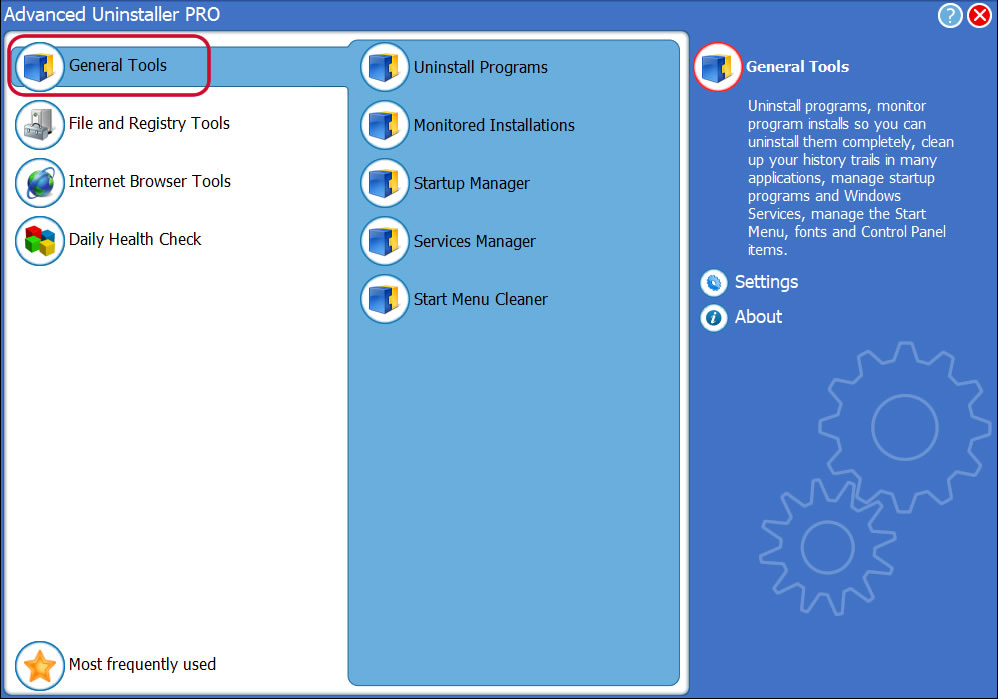
3. Click on the General Tools button
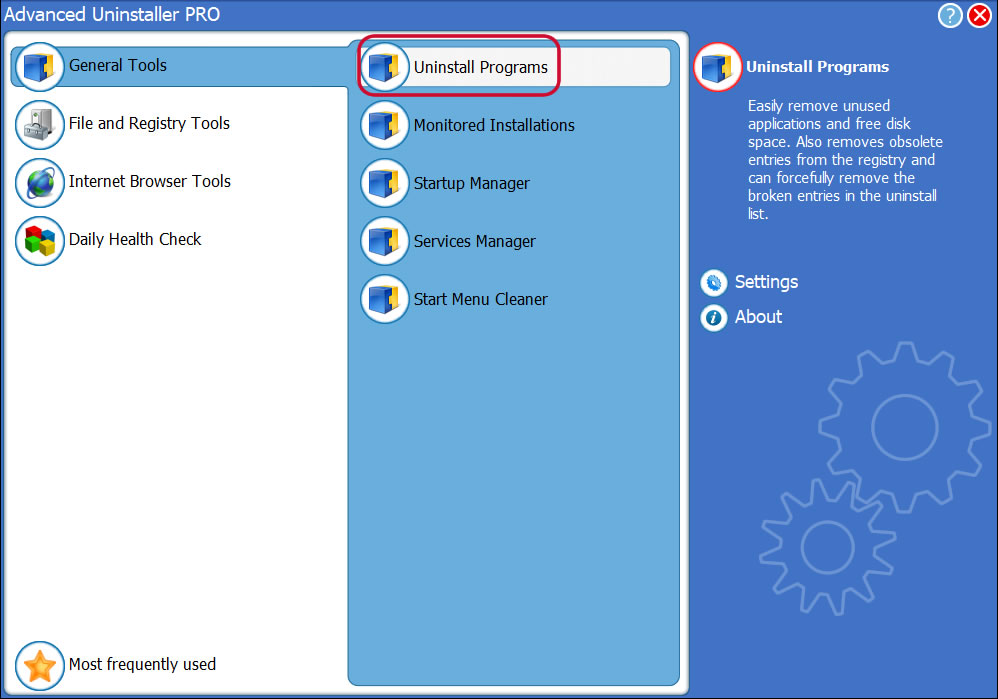
4. Click on the Uninstall Programs feature
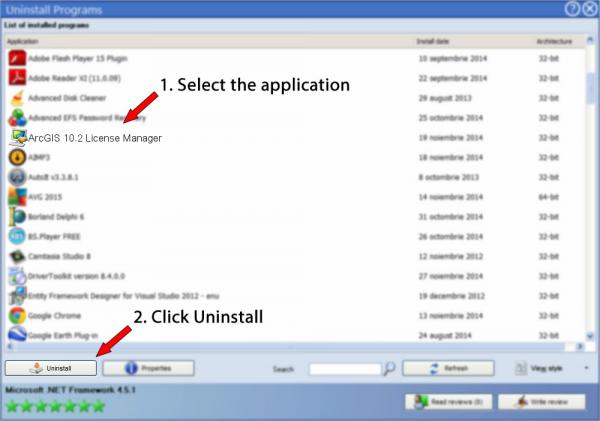
5. A list of the programs installed on your PC will be shown to you
6. Navigate the list of programs until you locate ArcGIS 10.2 License Manager or simply click the Search feature and type in "ArcGIS 10.2 License Manager". If it exists on your system the ArcGIS 10.2 License Manager application will be found very quickly. After you select ArcGIS 10.2 License Manager in the list of programs, some data regarding the program is available to you:
- Star rating (in the lower left corner). This explains the opinion other people have regarding ArcGIS 10.2 License Manager, from "Highly recommended" to "Very dangerous".
- Reviews by other people - Click on the Read reviews button.
- Technical information regarding the application you are about to remove, by clicking on the Properties button.
- The software company is: http://www.esri.com
- The uninstall string is: C:\Program Files (x86)\Common Files\ArcGIS\Support\ESRI.exe
8. After uninstalling ArcGIS 10.2 License Manager, Advanced Uninstaller PRO will ask you to run a cleanup. Press Next to perform the cleanup. All the items that belong ArcGIS 10.2 License Manager that have been left behind will be detected and you will be able to delete them. By removing ArcGIS 10.2 License Manager with Advanced Uninstaller PRO, you can be sure that no Windows registry entries, files or folders are left behind on your computer.
Your Windows computer will remain clean, speedy and able to take on new tasks.
Geographical user distribution


Disclaimer
The text above is not a piece of advice to uninstall ArcGIS 10.2 License Manager by Environmental Systems Research Institute, Inc. from your PC, we are not saying that ArcGIS 10.2 License Manager by Environmental Systems Research Institute, Inc. is not a good application for your PC. This page simply contains detailed instructions on how to uninstall ArcGIS 10.2 License Manager supposing you want to. Here you can find registry and disk entries that our application Advanced Uninstaller PRO stumbled upon and classified as "leftovers" on other users' computers.
2016-06-19 / Written by Daniel Statescu for Advanced Uninstaller PRO
follow @DanielStatescuLast update on: 2016-06-19 05:02:44.103