 Advanced Driver Updater 2.1.1086.16469
How to uninstall Advanced Driver Updater 2.1.1086.16469 from your PC
Advanced Driver Updater 2.1.1086.16469 is a computer program. This page contains details on how to uninstall it from your computer. The Windows version was created by Systweak Inc. & RePack by Dodakaedr. More information on Systweak Inc. & RePack by Dodakaedr can be found here. More details about the program Advanced Driver Updater 2.1.1086.16469 can be seen at http://www.systweak.com/adu/. Advanced Driver Updater 2.1.1086.16469 is commonly installed in the C:\Program Files\Advanced Driver Updater folder, subject to the user's decision. C:\Program Files\Advanced Driver Updater\Uninstall.exe is the full command line if you want to uninstall Advanced Driver Updater 2.1.1086.16469. adu.exe is the programs's main file and it takes circa 12.74 MB (13360976 bytes) on disk.Advanced Driver Updater 2.1.1086.16469 installs the following the executables on your PC, taking about 15.44 MB (16190009 bytes) on disk.
- adu.exe (12.74 MB)
- aduuninstall.exe (534.33 KB)
- Uninstall.exe (1.52 MB)
- DriverUpdateHelper64.exe (517.33 KB)
- 7z.exe (152.83 KB)
This data is about Advanced Driver Updater 2.1.1086.16469 version 2.1.1086.16469 only.
How to uninstall Advanced Driver Updater 2.1.1086.16469 from your computer with the help of Advanced Uninstaller PRO
Advanced Driver Updater 2.1.1086.16469 is a program offered by Systweak Inc. & RePack by Dodakaedr. Sometimes, computer users choose to remove this program. Sometimes this can be difficult because removing this manually takes some experience regarding removing Windows programs manually. The best QUICK way to remove Advanced Driver Updater 2.1.1086.16469 is to use Advanced Uninstaller PRO. Take the following steps on how to do this:1. If you don't have Advanced Uninstaller PRO on your PC, install it. This is a good step because Advanced Uninstaller PRO is the best uninstaller and all around utility to take care of your system.
DOWNLOAD NOW
- go to Download Link
- download the setup by pressing the DOWNLOAD NOW button
- install Advanced Uninstaller PRO
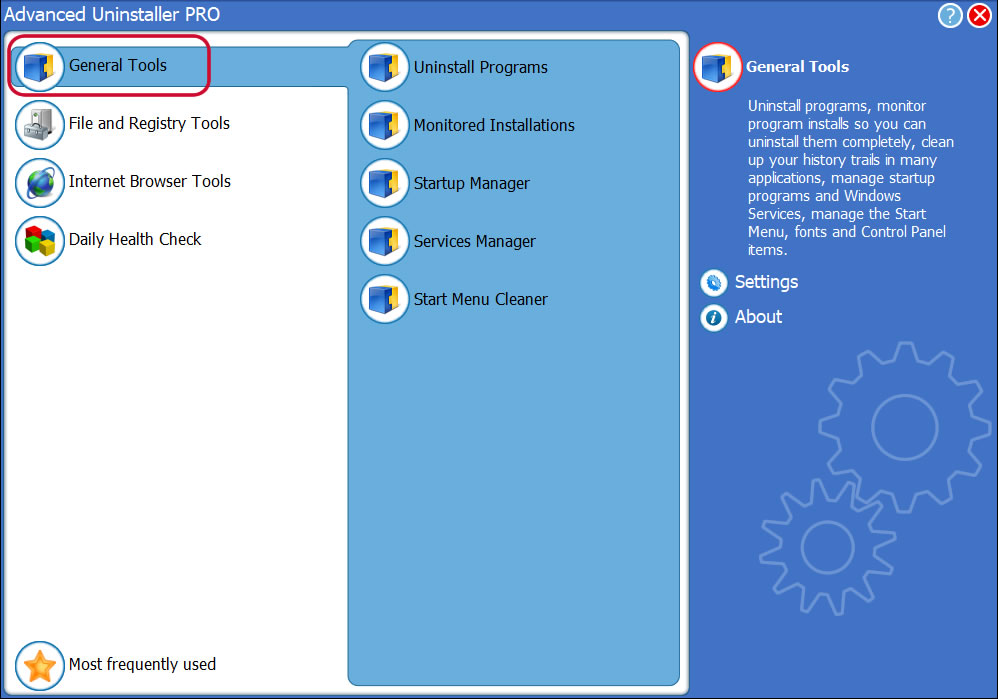
3. Press the General Tools button
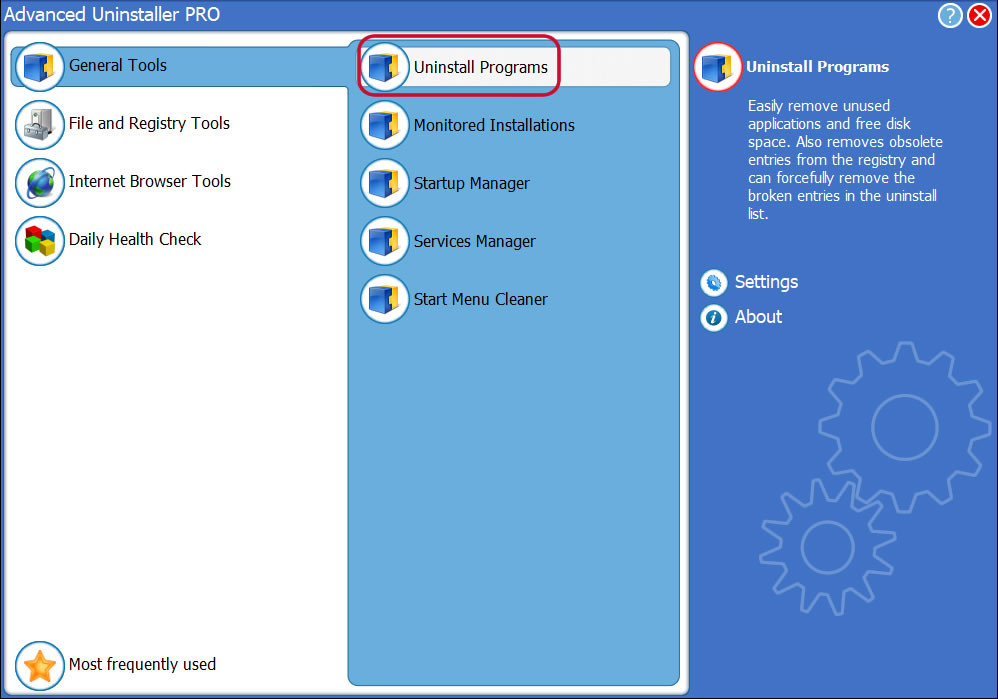
4. Click on the Uninstall Programs tool
5. A list of the applications existing on the PC will be shown to you
6. Navigate the list of applications until you find Advanced Driver Updater 2.1.1086.16469 or simply activate the Search feature and type in "Advanced Driver Updater 2.1.1086.16469". The Advanced Driver Updater 2.1.1086.16469 application will be found automatically. Notice that when you select Advanced Driver Updater 2.1.1086.16469 in the list , the following information regarding the application is made available to you:
- Star rating (in the lower left corner). This explains the opinion other people have regarding Advanced Driver Updater 2.1.1086.16469, from "Highly recommended" to "Very dangerous".
- Opinions by other people - Press the Read reviews button.
- Technical information regarding the application you want to uninstall, by pressing the Properties button.
- The software company is: http://www.systweak.com/adu/
- The uninstall string is: C:\Program Files\Advanced Driver Updater\Uninstall.exe

8. After uninstalling Advanced Driver Updater 2.1.1086.16469, Advanced Uninstaller PRO will ask you to run a cleanup. Click Next to go ahead with the cleanup. All the items that belong Advanced Driver Updater 2.1.1086.16469 that have been left behind will be detected and you will be asked if you want to delete them. By uninstalling Advanced Driver Updater 2.1.1086.16469 using Advanced Uninstaller PRO, you are assured that no Windows registry entries, files or directories are left behind on your PC.
Your Windows computer will remain clean, speedy and able to take on new tasks.
Geographical user distribution


Disclaimer
This page is not a recommendation to uninstall Advanced Driver Updater 2.1.1086.16469 by Systweak Inc. & RePack by Dodakaedr from your computer, we are not saying that Advanced Driver Updater 2.1.1086.16469 by Systweak Inc. & RePack by Dodakaedr is not a good software application. This text only contains detailed info on how to uninstall Advanced Driver Updater 2.1.1086.16469 supposing you decide this is what you want to do. Here you can find registry and disk entries that Advanced Uninstaller PRO discovered and classified as "leftovers" on other users' computers.
2017-05-09 / Written by Andreea Kartman for Advanced Uninstaller PRO
follow @DeeaKartmanLast update on: 2017-05-09 13:46:11.003